"use client";

import ContextMenu from "@/components/ui/context-menu";
import { Card } from "@/components/ui/context-menu-utils/card";
import { Text } from "@/components/ui/context-menu-utils/text";
import { useState } from "react";
import { Copy, Download, Trash2 } from "lucide-react";

export default function ContextMenuDemo() {
  const [last, setLast] = useState("none");
  return (
    <div className="flex min-h-screen w-full items-center justify-center bg-background p-8 text-foreground">
      <div className="flex w-full max-w-[380px] flex-col items-start gap-3">
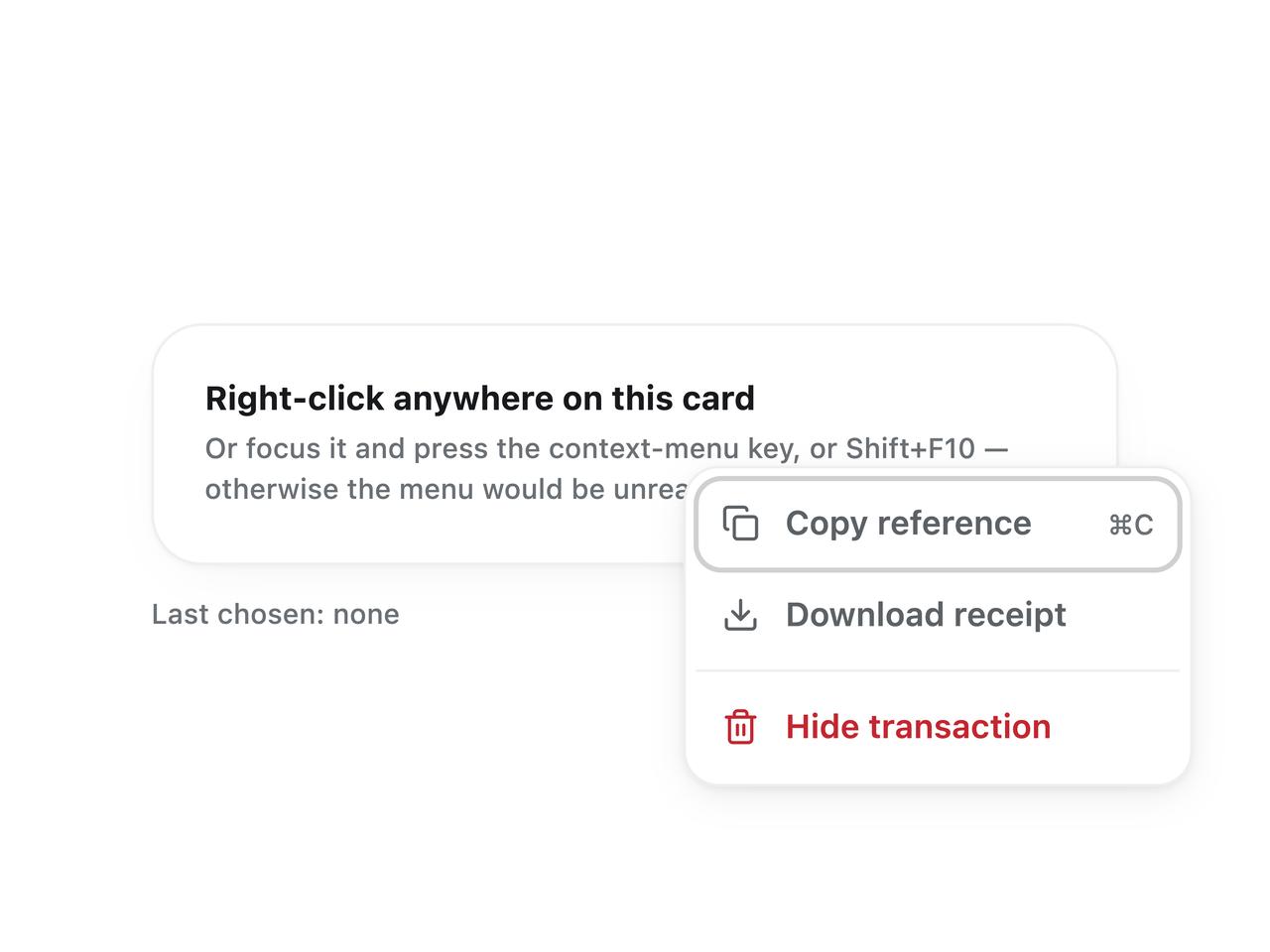
        <ContextMenu
          label="Transaction actions"
          items={[
            {
              id: "copy",
              label: "Copy reference",
              icon: Copy,
              meta: "⌘C",
              onSelect: () => setLast("Copy"),
            },
            {
              id: "export",
              label: "Download receipt",
              icon: Download,
              onSelect: () => setLast("Download"),
            },
            "separator",
            {
              id: "delete",
              label: "Hide transaction",
              icon: Trash2,
              destructive: true,
              onSelect: () => setLast("Hide"),
            },
          ]}
          className="w-full"
        >
          <Card className="w-full">
            <Text>Right-click anywhere on this card</Text>
            <Text size="caption" tone="faint" leading="normal" className="mt-1">
              Or focus it and press the context-menu key, or Shift+F10 —
              otherwise the menu would be unreachable without a mouse.
            </Text>
          </Card>
        </ContextMenu>
        <Text size="caption" tone="faint" role="status" aria-live="polite">
          Last chosen: {last}
        </Text>
      </div>
    </div>
  );
}