"use client";

import { useCallback, useState } from "react";
import { DocsSearch, type DocsSearchPage } from "@/components/ui/docs-search";

const settings = {
  limit: 8,
  placeholder: "Search the docs",
};

const PAGES: DocsSearchPage[] = [
  {
    body: "Install the CLI with pnpm, then run the init command in your project. The command writes a config file and a first page.",
    href: "/docs/install",
    title: "Install",
  },
  {
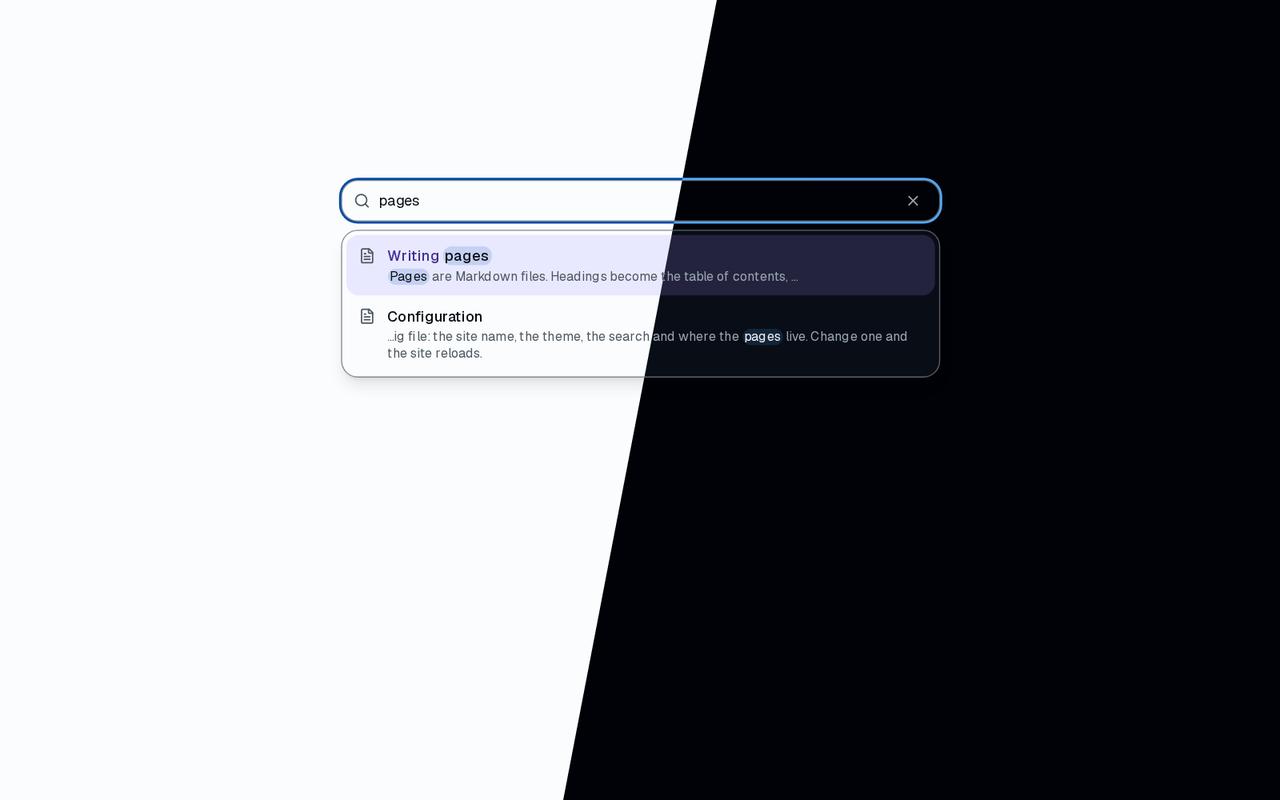
    body: "Every option of the config file: the site name, the theme, the search and where the pages live. Change one and the site reloads.",
    href: "/docs/configuration",
    title: "Configuration",
  },
  {
    body: "Pages are Markdown files. Headings become the table of contents, code blocks get highlighting and a Copy button, callouts mark notes and warnings.",
    href: "/docs/writing-pages",
    title: "Writing pages",
  },
  {
    body: "The search looks through titles as you type, then through the text of every page, and shows the matching words in context.",
    href: "/docs/search",
    title: "Search",
  },
  {
    body: "Build once, then serve the static files from any host. A standalone build carries what the server needs; put a proxy in front for TLS.",
    href: "/docs/deploying",
    title: "Deploying",
  },
  {
    body: "Release notes, newest first: what changed for the reader in each version, with a link to the page that explains a new feature.",
    href: "/docs/changelog",
    title: "Changelog",
  },
];

/** A docs site's search: type "config" or "build", use the arrow keys and Enter, or press `/`. */
export default function Demo(props: Partial<typeof settings>) {
  const { limit, placeholder } = { ...settings, ...props };
  const [opened, setOpened] = useState("");
  const navigate = useCallback((page: DocsSearchPage) => {
    setOpened(`Opened “${page.title}” (${page.href})`);
  }, []);
  return (
    <div className="flex min-h-[520px] w-full flex-col items-center gap-4 bg-background p-6 pt-12">
      <DocsSearch
        limit={limit}
        onNavigate={navigate}
        pages={PAGES}
        placeholder={placeholder}
      />
      <p className="min-h-5 text-muted-foreground text-sm">{opened}</p>
    </div>
  );
}